RGLawz
A fully custom internal case management system built for a live, practising law firm replacing paper and WhatsApp chaos with a structured, role-based web and desktop platform.
Role: Solo Builder & Designer : full-stack architecture, database design, RBAC system, Electron desktop app, AWS S3 auto-update pipeline, UI/UX design
Overview
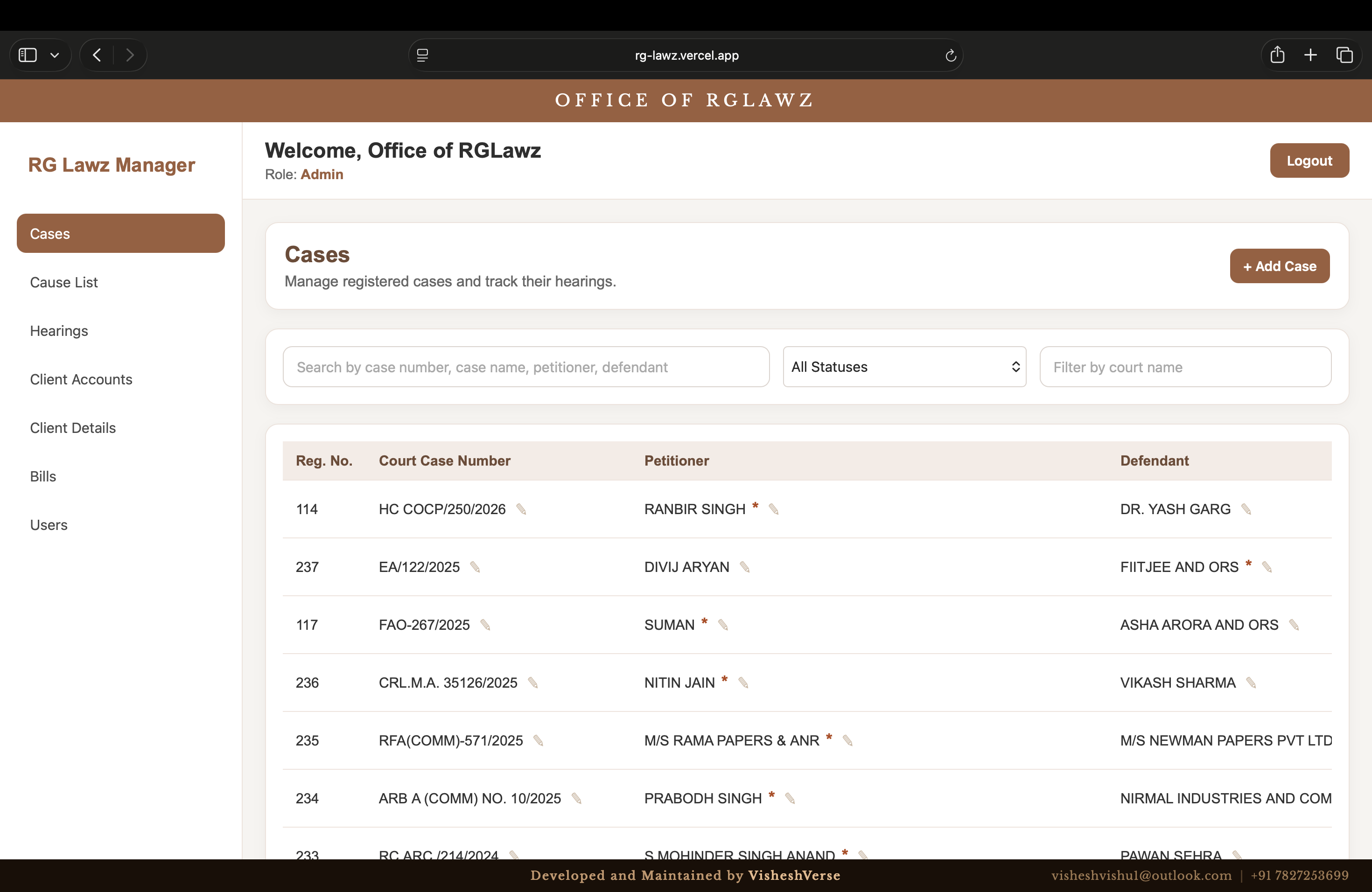
Law firms run on dates, documents, and client relationships. And most small firms in India manage all three through a combination of paper registers, WhatsApp messages, and memory. RGLawz is a complete internal management system built from scratch for a live New Delhi law firm, handling case registration, cause list tracking, hearing history, client accounts, bill generation, and role-based user access. Deployed simultaneously as a web app and an Electron desktop application, both always in sync, with a custom AWS S3-based auto-update system so the firm never has to manually update anything.
The Problem
A busy law firm with 200+ active cases across multiple courts has one critical operational problem: keeping track of what is happening, when, and for whom. Missing a hearing date is not an inconvenience, it can cost a client their case. Before RGLawz, the firm managed this through manual registers and informal communication. There was no searchable case database, no calendar view of upcoming hearings, no digital bill generation, and no way for staff to access case information without physically being in the office. RGLawz Case Management replaced every one of those gaps with a single, secure, always-accessible platform.
How It Was Built
A law firm is, at its core, a deadline management business. Every case has a next hearing date. Every hearing has a judge, a court room, a location, a petitioner, a defendant, and a history of previous dates. Every client has bills, documents, and account details. When you have 200+ active cases spread across the Delhi High Court and multiple district courts, the margin for error is zero — a missed hearing date is a professional and legal catastrophe.
Before RGLawz, the firm managed this the way most small Indian law firms do: physical registers, mental memory, and WhatsApp group messages between staff. No way to search cases, no calendar view of upcoming hearings, no digital billing, no access to case files outside the office.
The Six Modules
RGLawz is a complete internal platform with six core modules, each solving a specific operational problem.
| Module | What It Solves |
|---|---|
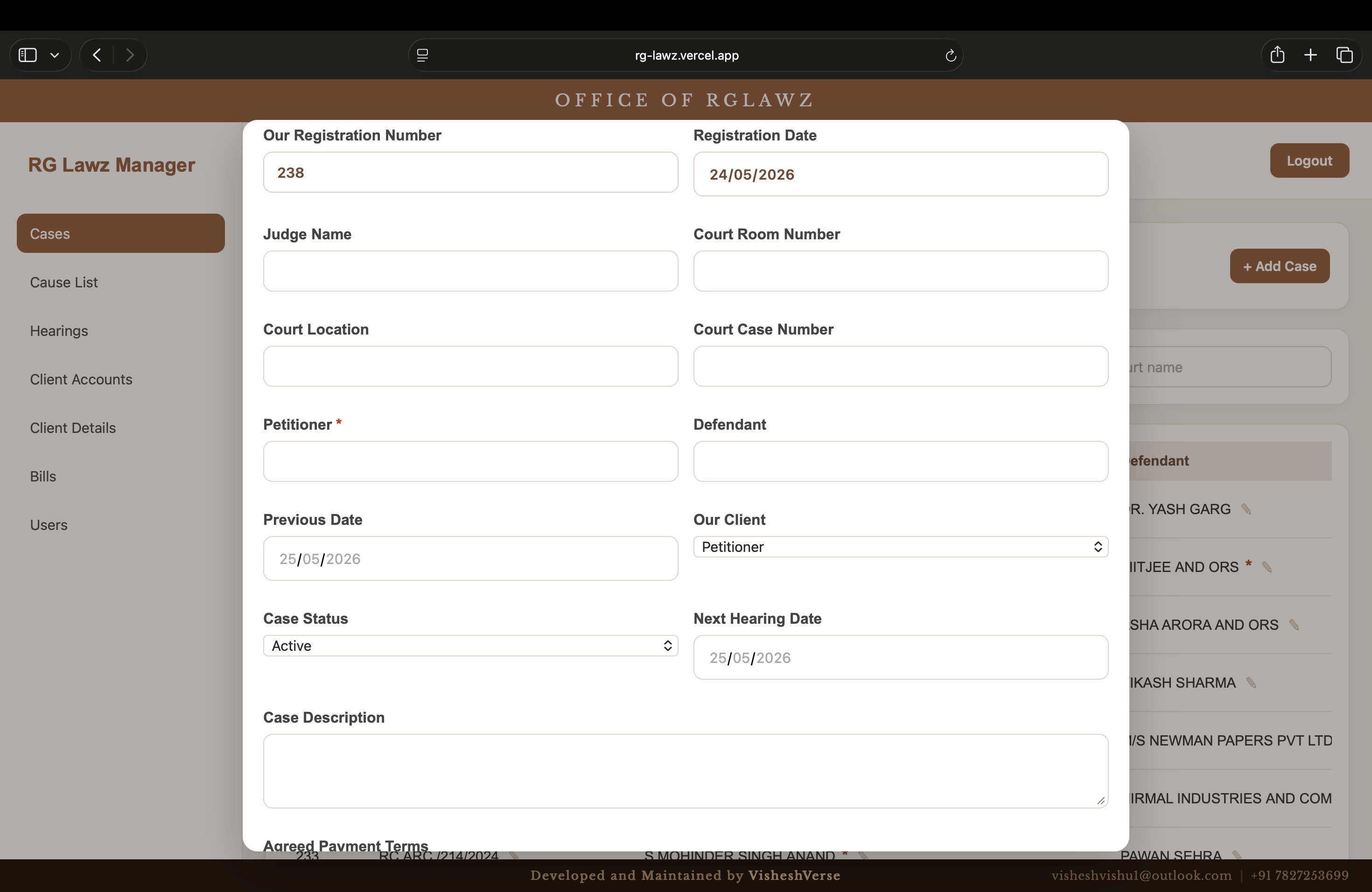
| Cases | Full case registry — court number, judge, court room, location, petitioner, defendant, client side, status, description. Searchable and filterable. 238 active cases currently in the system. |
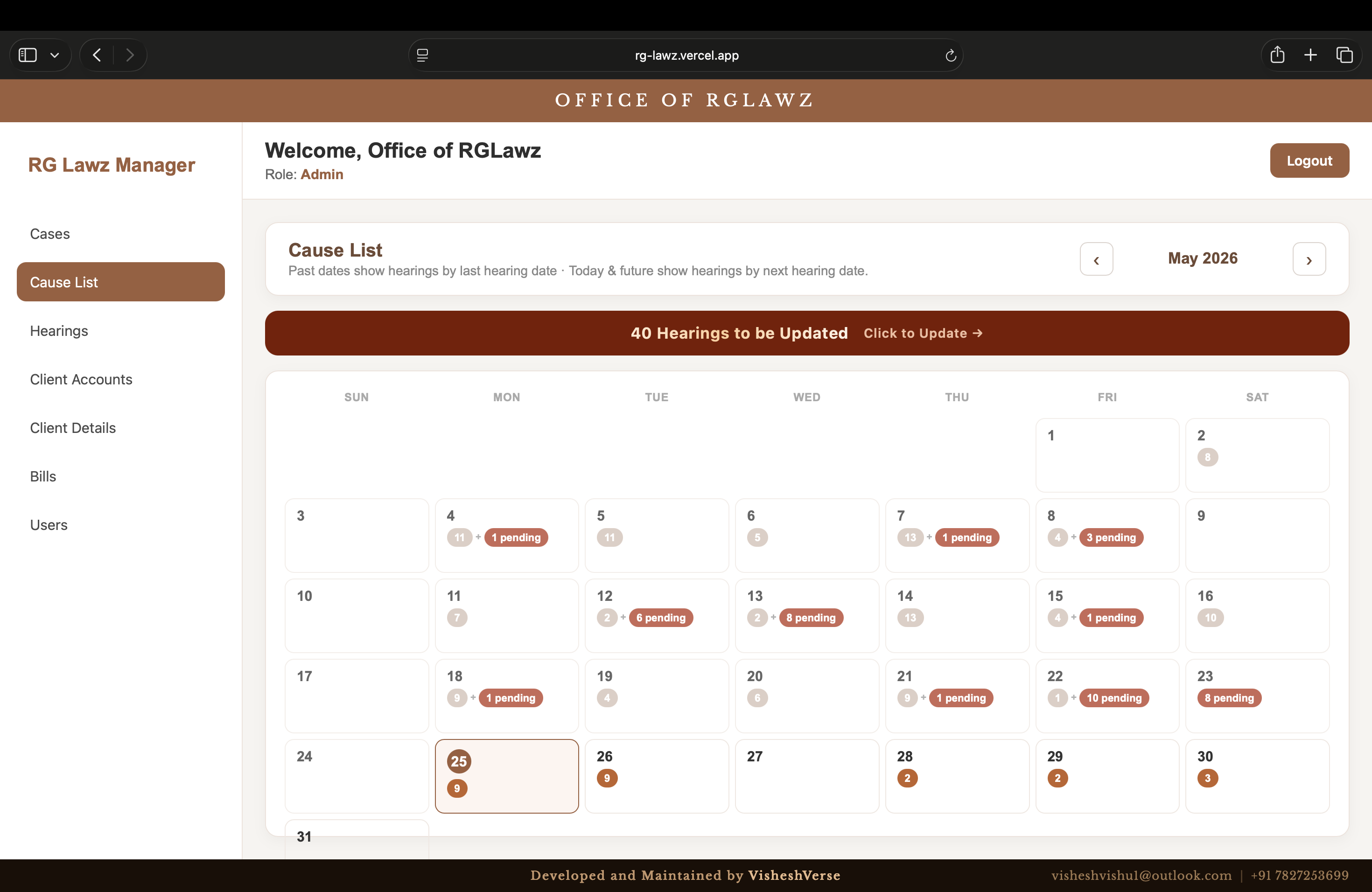
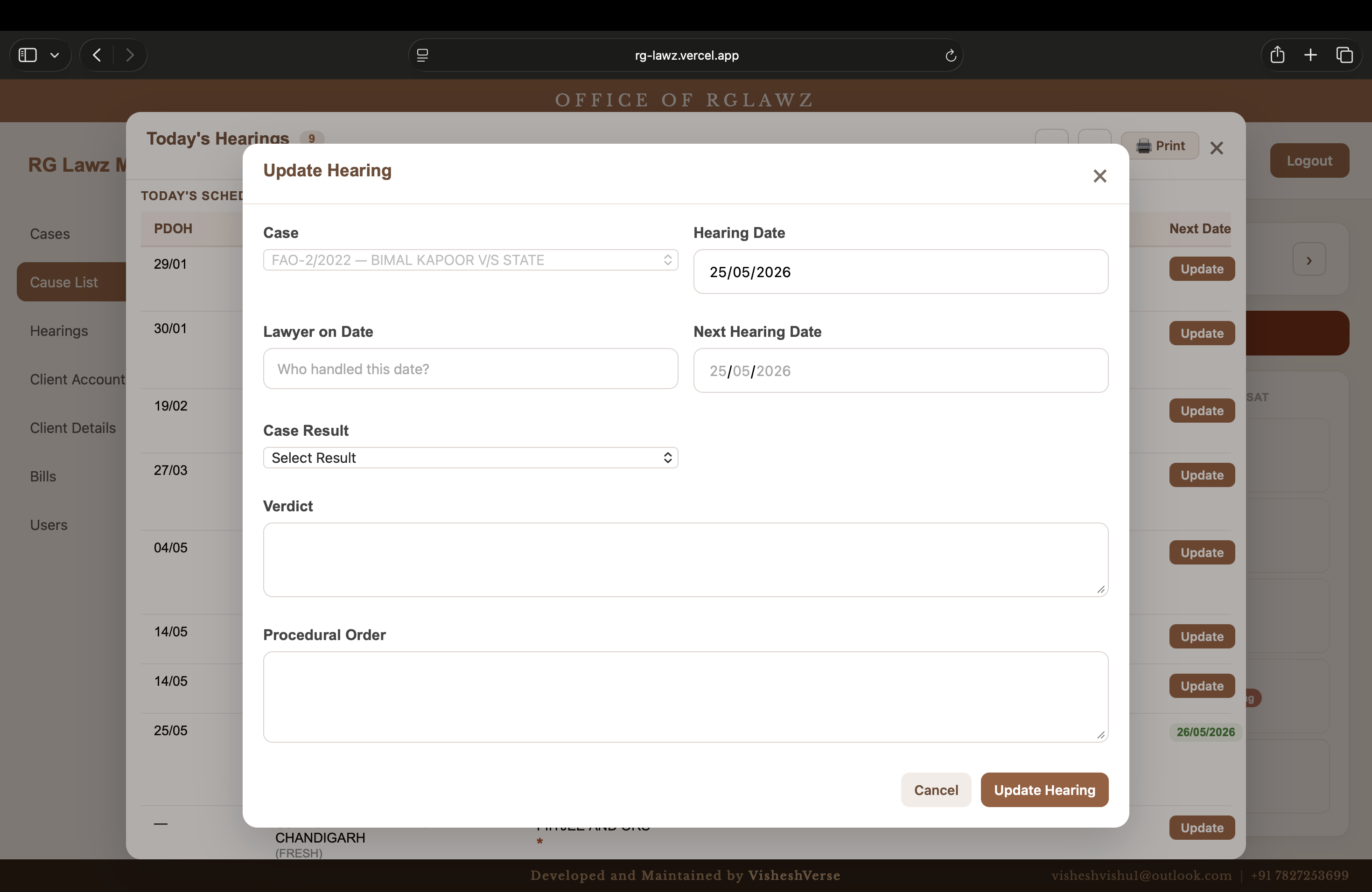
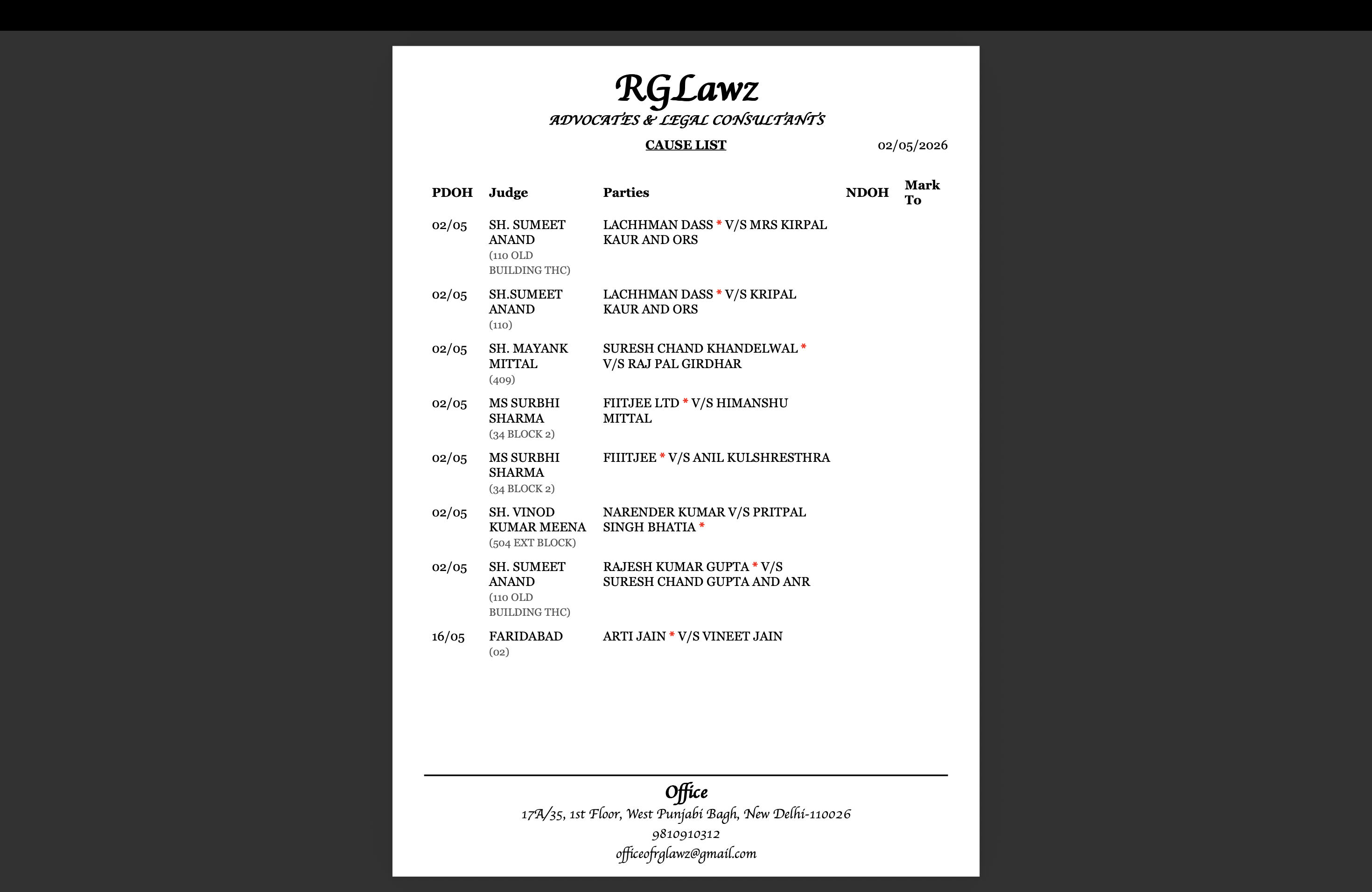
| Cause List | Calendar view of every hearing across the month. Past dates show last hearing dates; future dates show next scheduled dates. Live counter of hearings needing update with one-click action. |
| Hearings | Complete hearing history per case — every date, every outcome, every note. Searchable by case number, name, verdict, and notes. Inline edit and update on every row. |
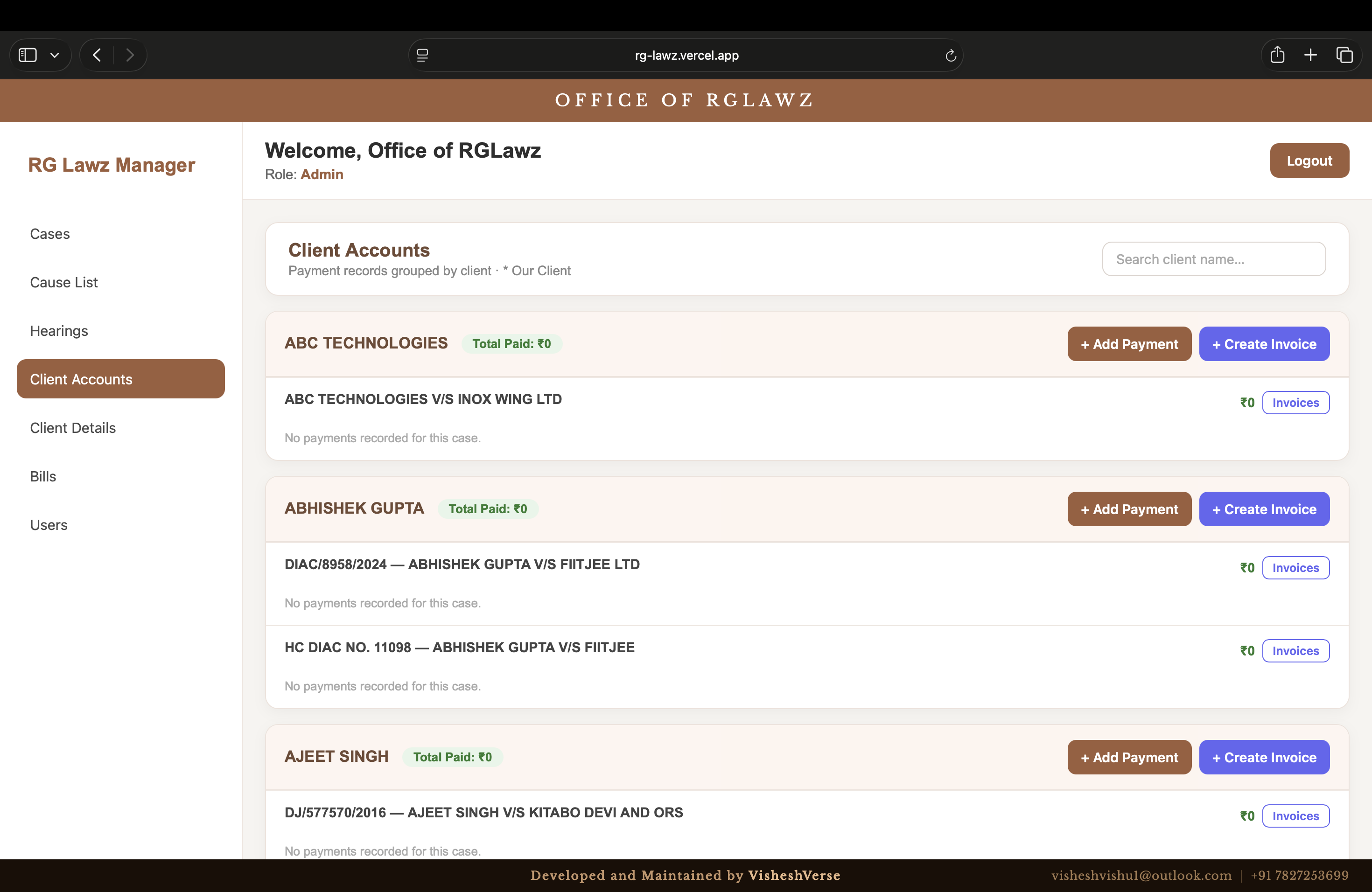
| Client Accounts | Full client profiles with billing information, contact details, and case associations — managed independently of individual case records. |
| Bills | Digital bill generation tied to client accounts, replacing the manual billing process entirely. |
| Users & RBAC | Role-based access control with Admin and staff roles. Admin-gated user creation, no self-registration. Password reset is Admin-controlled. |
A single glance at the Cause List tells the firm: April 16th has 16 hearings, April 15th has 10, April 29th has 13 — and exactly how many need to be updated today.
The Desktop App Problem
Law firm staff are not developers. Navigating to a URL is fine. Downloading a new version of an app, finding the right installer, overriding OS security warnings, and reinstalling — that is a support nightmare that repeats every time the app is updated.
RGLawz ships as both a web app (deployed on Vercel) and an Electron desktop application for Windows (`.exe`) and macOS (`.dmg`). The desktop and web versions are identical — same codebase, same features, always in sync.
The Automated Update System
The update problem was solved with a custom AWS S3-based version management system.
| Step | What Happens |
|---|---|
| App launch | Electron silently queries an S3 bucket: "I am running version 1.0.x. Do you have anything higher?" |
| Update found | App downloads and applies the update in seconds |
| User experience | Nothing. No prompts, no installers, no IT support calls. |
The first installation required a one-time override of OS security warnings to allow an unsigned executable. After that, every subsequent update is fully automated. The moment a new version is pushed to S3, every device in the firm is running it within minutes of next launch.
This is the pattern used by professional desktop software like Slack and VS Code — applied to a custom internal tool for a small law firm. The firm gets the reliability of a desktop application with the maintenance simplicity of a web app.
Security Architecture
The entire system sits behind JWT-based authentication. Passwords are hashed with bcrypt — no plaintext credentials anywhere in the system. File uploads (case documents, client files) are handled through Multer.
The site is not publicly accessible. There is no login page exposed to search engines, no public-facing content. It is an internal tool, secured like one.
Current Usage
| Metric | Number |
|---|---|
| Active cases registered | 238 |
| Hearings tracked monthly | 40+ |
| Deployment targets | Web (Vercel) + Electron on every office machine |
The web version is accessible for staff working remotely. The Electron app handles the in-office workflow. Both are always on the same version.
Results & Impact
238 active cases managed across multiple courts, 40+ hearings tracked and updated monthly, deployed across web and Electron desktop with a custom AWS S3 auto-update system. Zero manual intervention required for any update across any device in the firm.